Tasks
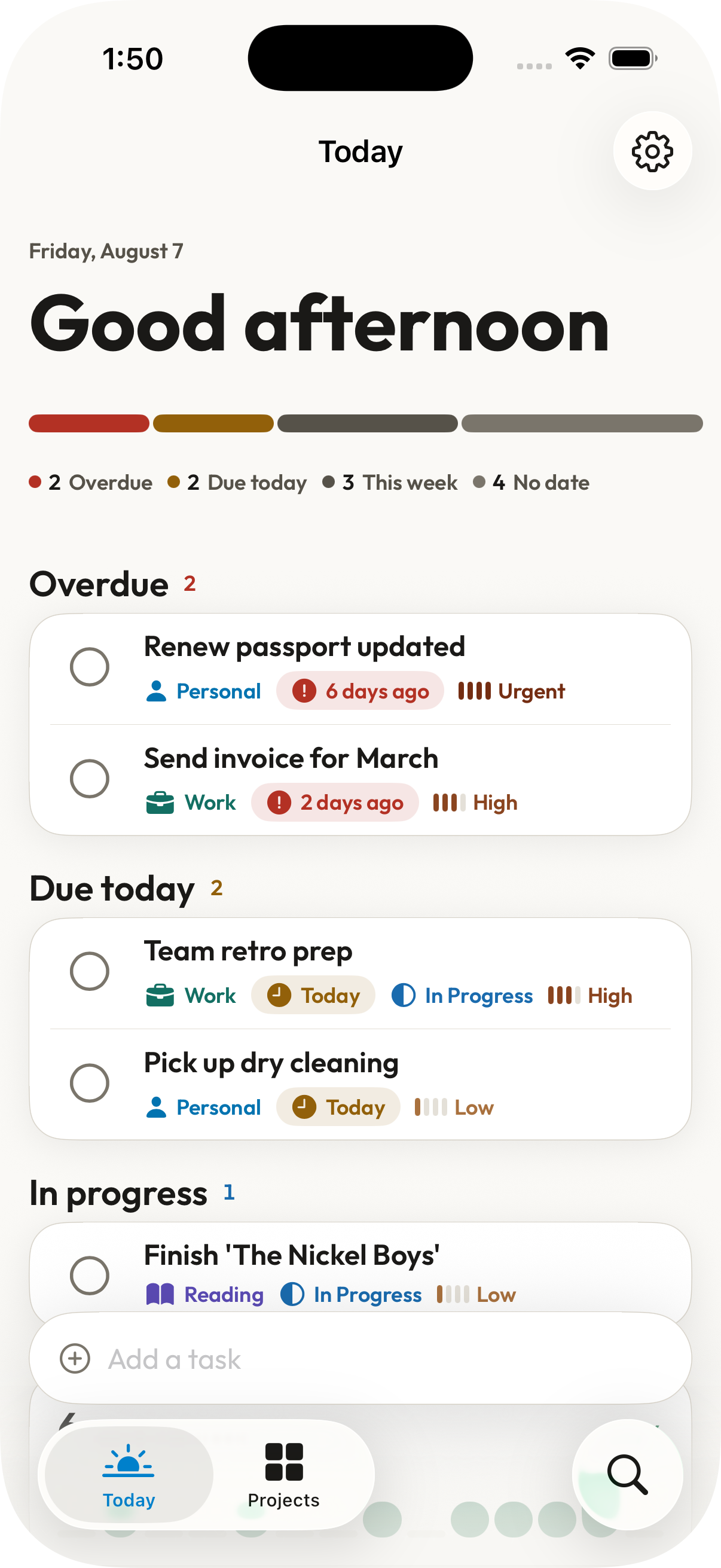
Create a task, set it's due date, add it to a project, and include some notes. As you complete each tasks, a progress bar visualizes how many are left until you're all done.
At-a-glance task tracking
The task tracker gives users a clear view of what their tasks are, both by project and overall. Integrate with your device's notifications for tasks with due dates so you never miss a beat.
Free - No account required - iOS 26
What it does
Create a task, set it's due date, add it to a project, and include some notes. As you complete each tasks, a progress bar visualizes how many are left until you're all done.
Want to see what is due now, later, or just whenever? Open the app and your dashboard surfaces what should be tackled next, highlighting how much of a project has been completed. Scroll down for a project-based overview showing what is left and what was done in the current week.
Quickly see how many tasks you've completed this week, comparing against previous weeks.
Add a widget to you device screen to see how many open tasks there are and a project breakdown. Select a default project and what size you want to use.
Your data stays yours
TaskStat makes zero network requests. It collects no analytics, requires no login, and sends nothing anywhere. Your data lives on your device — period.
No network requests
The app never connects to the internet. Not for telemetry, not for updates, not for anything.
On-device storage only
All your projects, tasks, and notes are stored locally. No third-party cloud or sync service involved.
No account required
Open the app and get to work. No sign-up, no email, no subscription.